
On-time reminders
A notification arrives at the scheduled time — even when the app is closed. Turn it on per medicine.
Your personal medicine assistant
Aptekachi builds your medication schedule, reminds you when it’s time and keeps track of every dose you’ve taken.
Usually: You forget which medicine to take and when.
With Aptekachi: A clear schedule for each medicine and a reminder right on time.
Usually: You can’t remember whether you took today’s dose.
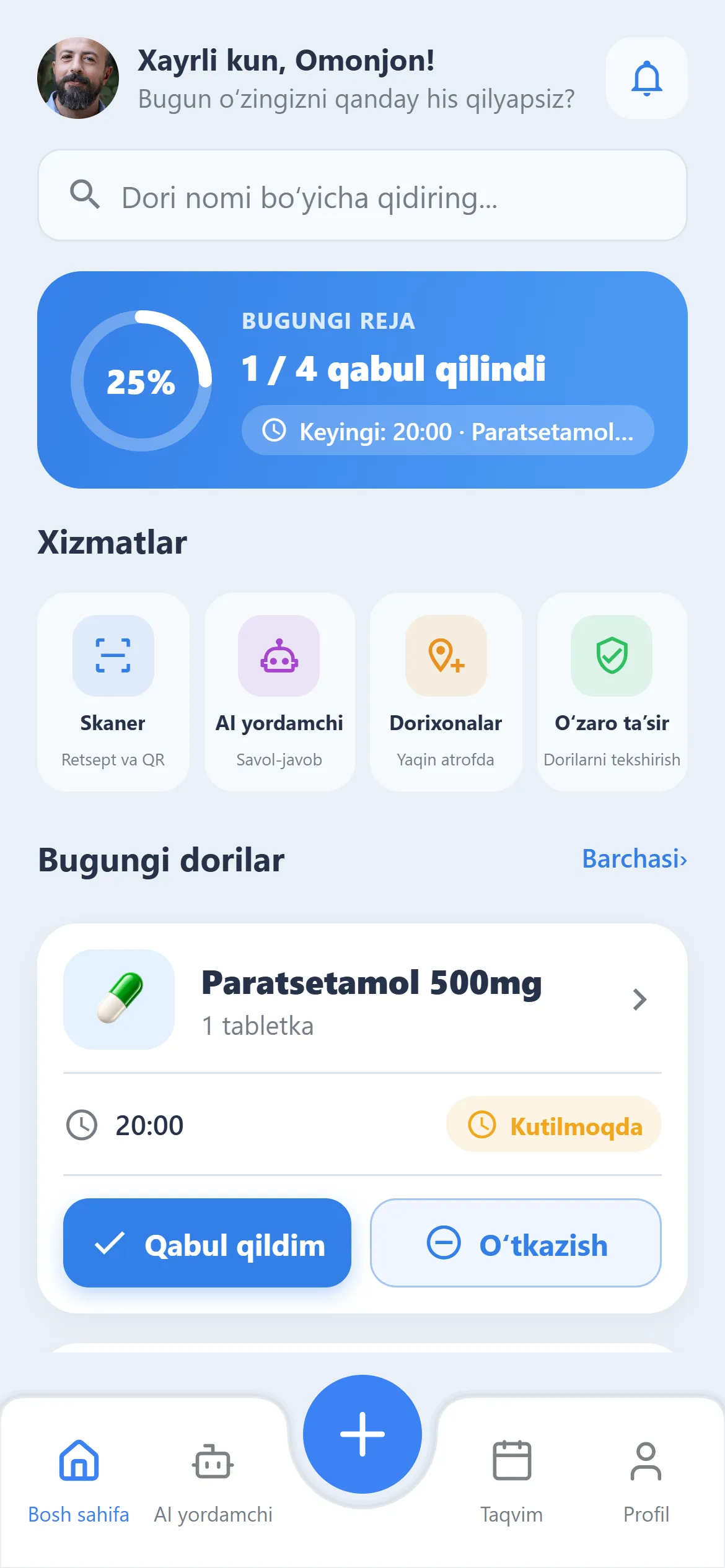
With Aptekachi: One tap on “Taken” — today’s plan shows progress in percent.
Usually: Your doctor asks about missed doses and you have no answer.
With Aptekachi: Intake history and 7–30 day statistics are always at hand.
Usually: At night it’s hard to find a pharmacy that’s open.
With Aptekachi: Nearby pharmacies with “Open now” and “24/7” filters.
A notification arrives at the scheduled time — even when the app is closed. Turn it on per medicine.
Dose, several intake times a day, days of the week and course length.
“Taken” or “Skip” — your daily progress is shown in percent.
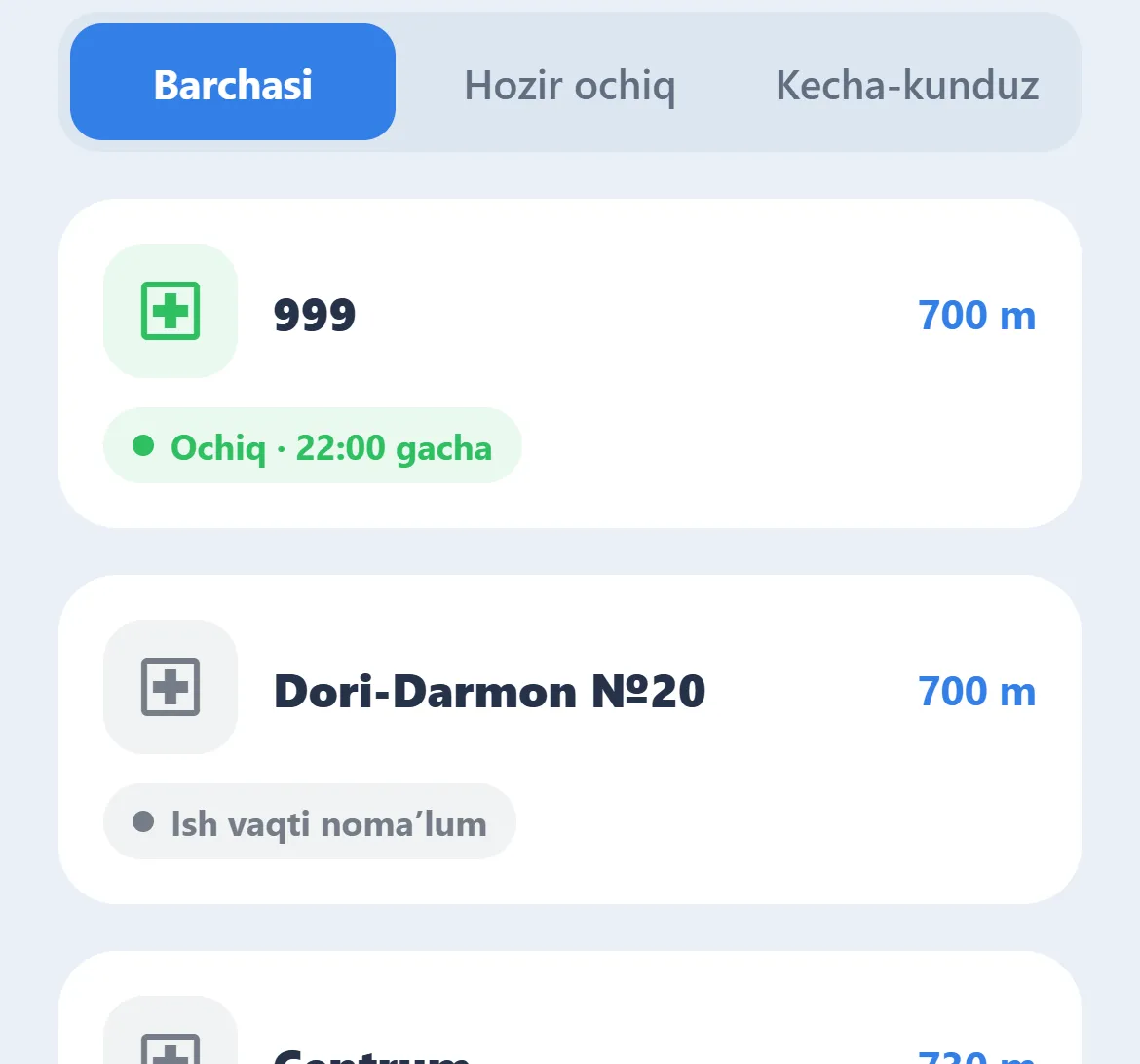
1 of 4 takenSorted by distance, with “Open now” and “24/7” filters, plus one-tap call and directions.
Taken, missed and upcoming doses — easy to show your doctor.
Your account lives on the server. Switch phones, sign in, and your schedule is restored.
The interface is ready; these will go live in upcoming updates.
Today’s plan, services and today’s medicines — sorted by intake time.
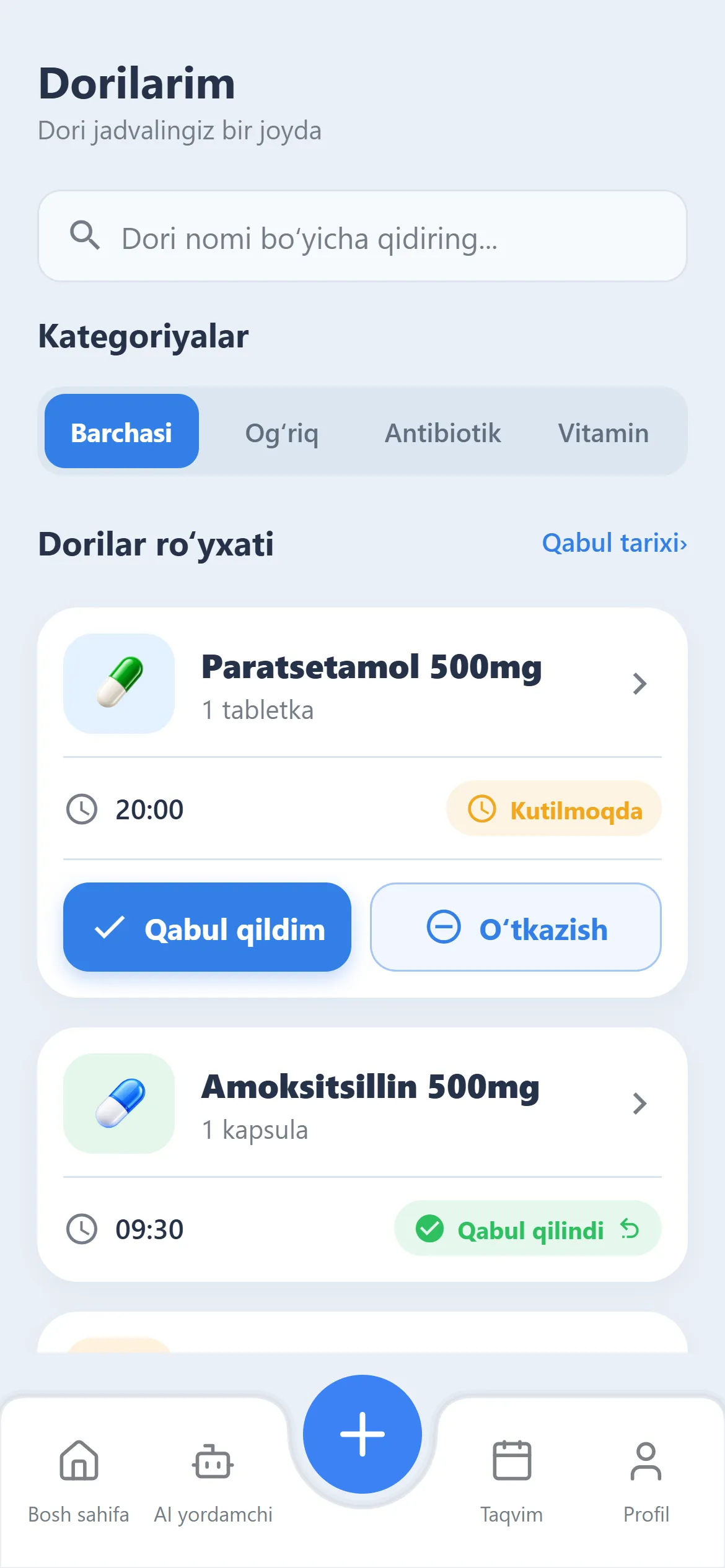
Every medicine in your schedule, filtered by pain relief, antibiotics and vitamins.
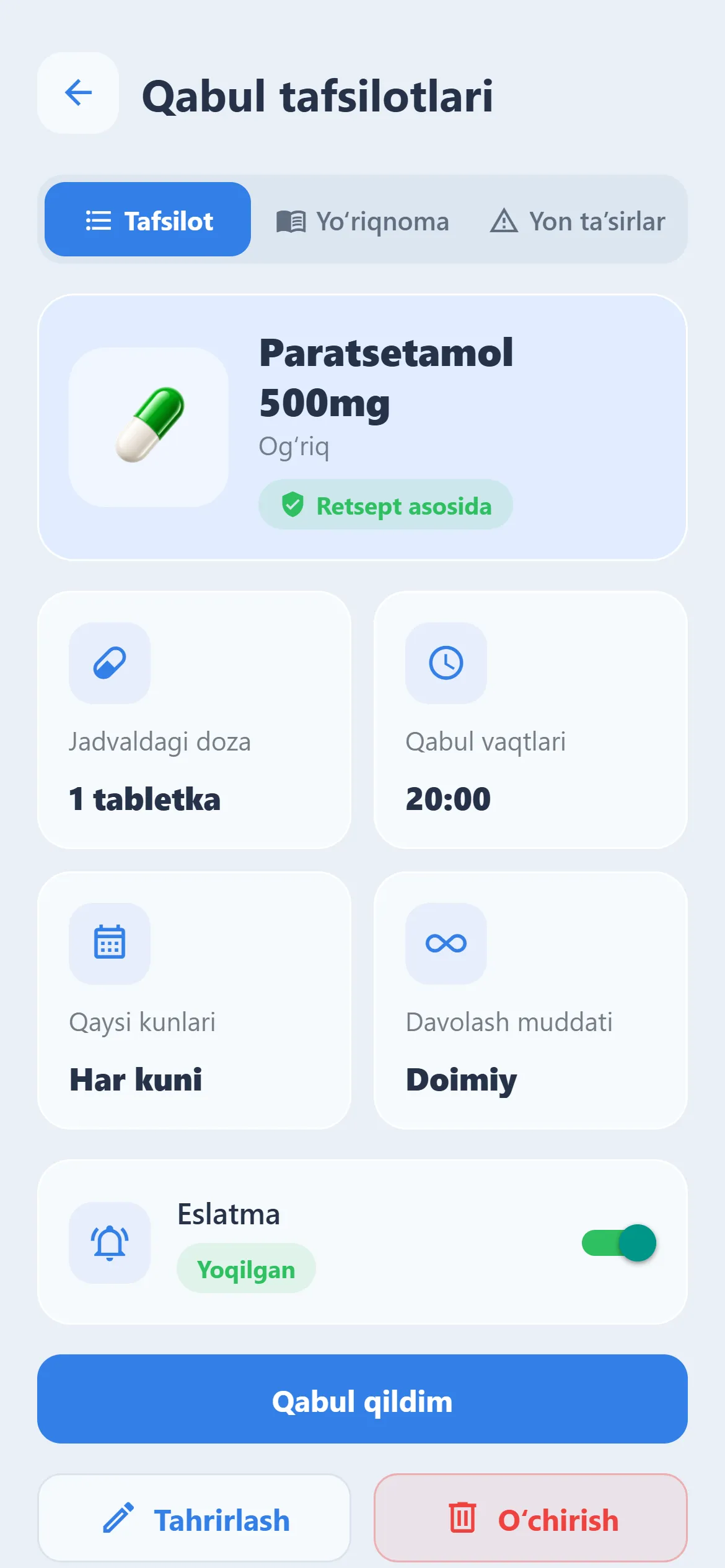
Dose, intake times, days and reminder status. Without verified data, the app never guesses.
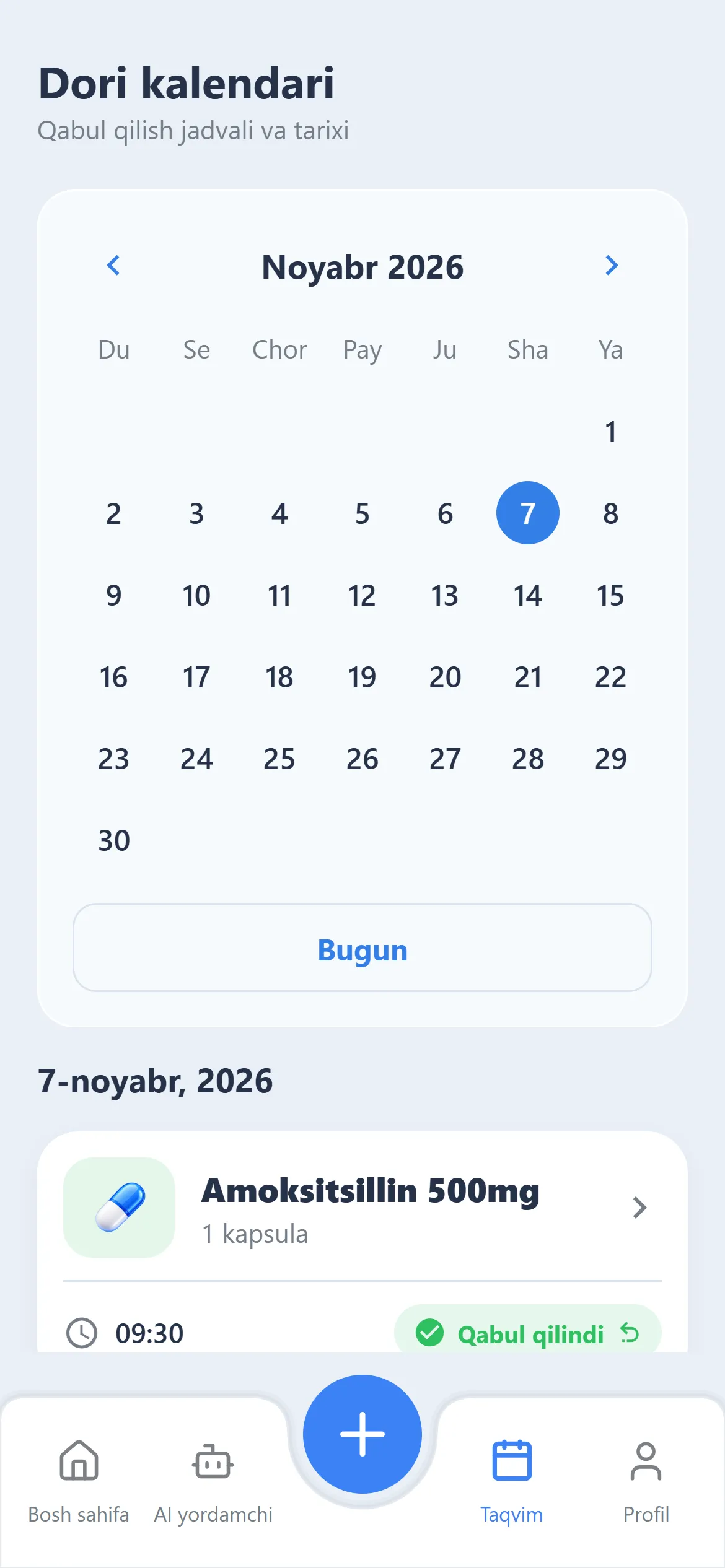
Pick any day to see its schedule and intake status.
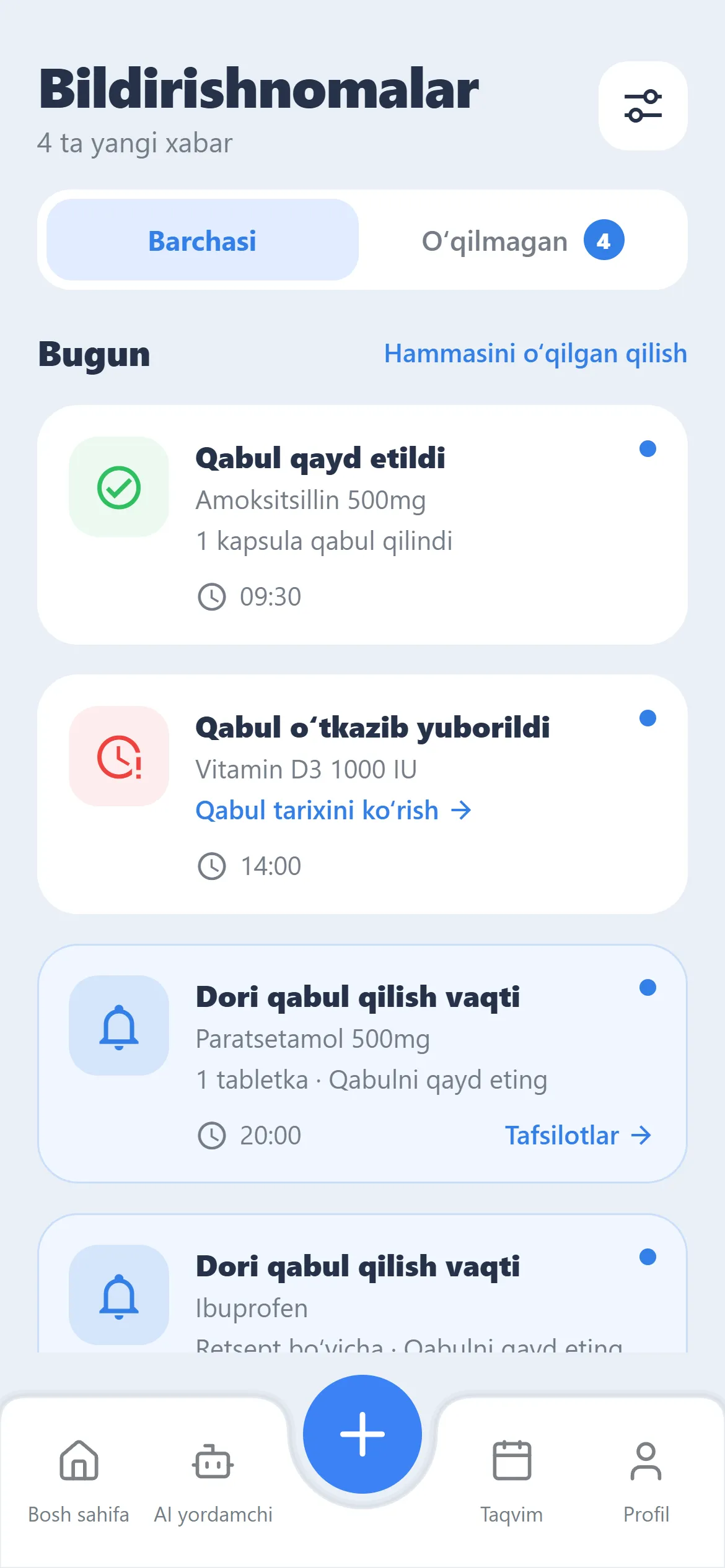
Dose logged, dose missed, time to take — all in one feed.
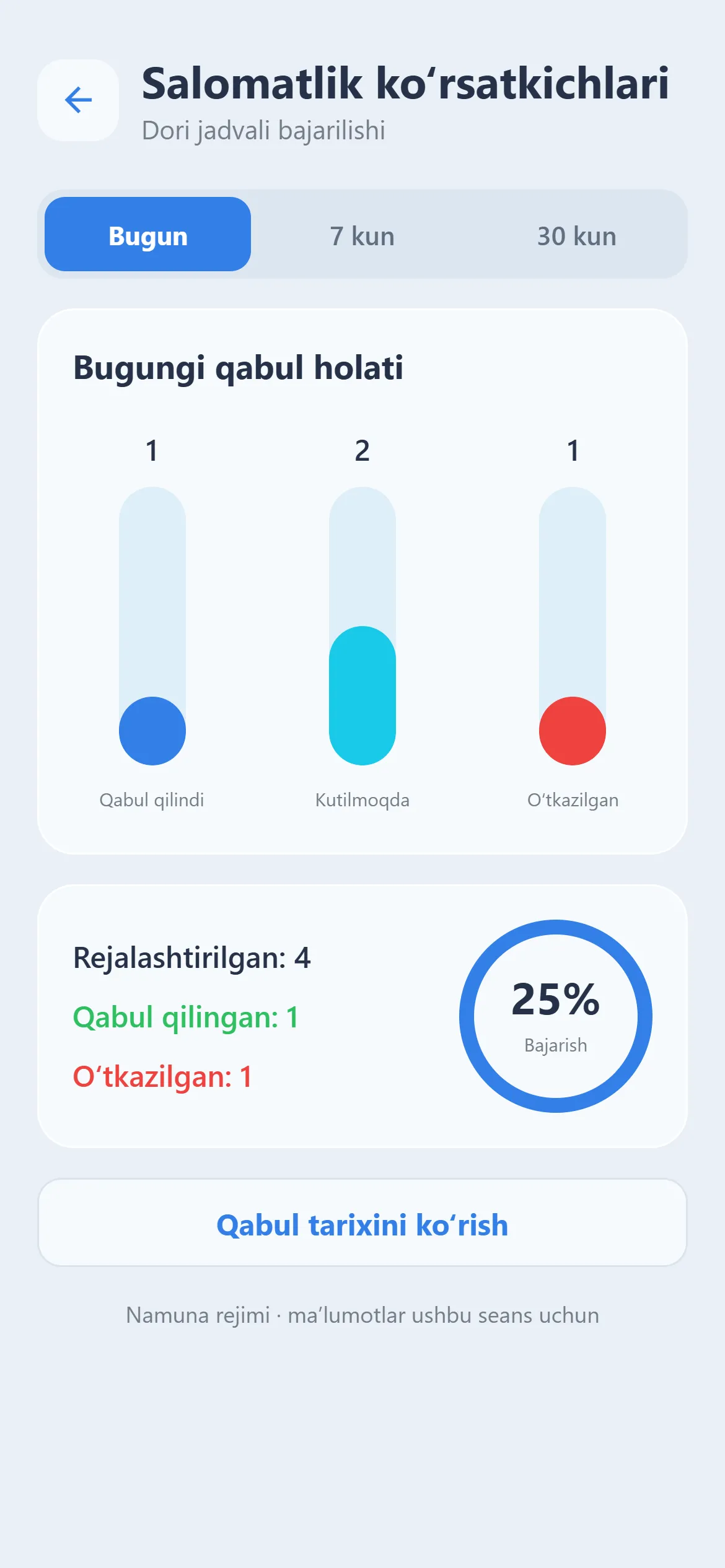
Your adherence for today, 7 and 30 days at a glance.
With your phone number and a password. Want to look around first? Try “Demo mode”.
Enter the name, dose and intake time — it’s in your schedule in seconds.
A notification arrives on time. Tap “Taken” and everything is recorded.
Yes. Reminders are delivered as regular phone notifications — just allow them. You can check with the “Test notification” button in Settings.
Yes. The “Demo mode” button on the sign-in screen opens the app with sample medicines. Demo data lasts only for the current session.
Your account and medication schedule are stored on the server. If you change phones or reinstall the app, everything is restored when you sign in.
From OpenStreetMap open data. Some pharmacies may have unknown opening hours — the app says so clearly. It’s a good idea to tap “Call” and check before you go.
No. Aptekachi helps you stick to the schedule your doctor prescribed. When there is no verified information about a medicine, the app doesn’t guess and recommends the official leaflet or your doctor.
The prescription scanner, AI assistant, drug interaction check and family monitoring are in development. They are marked “Coming soon” in the app and will arrive in upcoming updates.
Download Aptekachi and add your first medicine in a minute.